

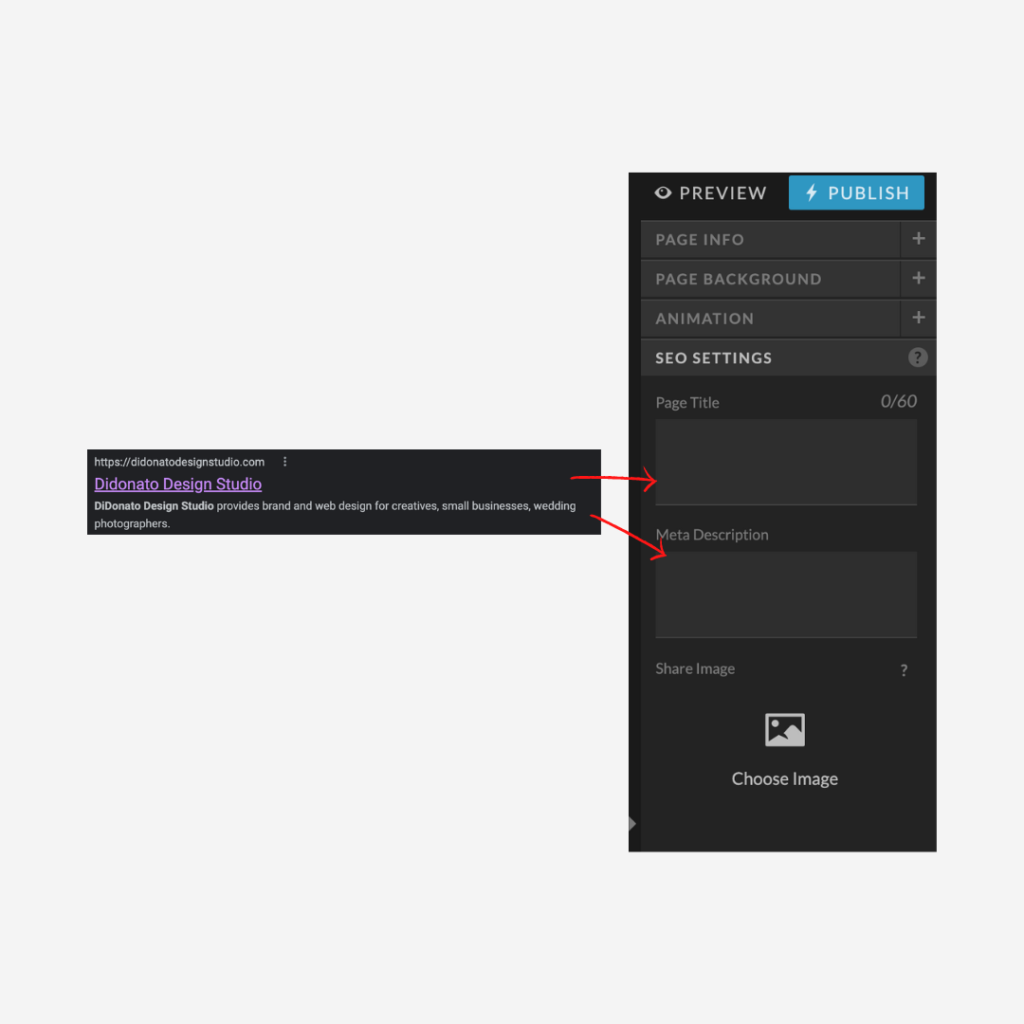
THE BASICS
Page Title — The title of your website is super important as it describes each page and typically gets included in the search result for Google. (Tip: Google shows only 60 characters in title).
Meta Description — This is the description of the page and is typically included as the paragraph under a search result that describes the content of the page.
Share Image — This image will appear when the link of that specific page is shared on social sites or anywhere else on the web.
So, it’s usually the name of your company and the services you provide.
What the heck is a heading tag?
Heading and text tags are used throughout the development of your website to indicate the position and importance of all the copy on your site. Consider your heading/text tags as your Instagram algorithm. It’s the secret sauce to uncode Google’s breakdown of your website and moves you up the ladder in the search engine.
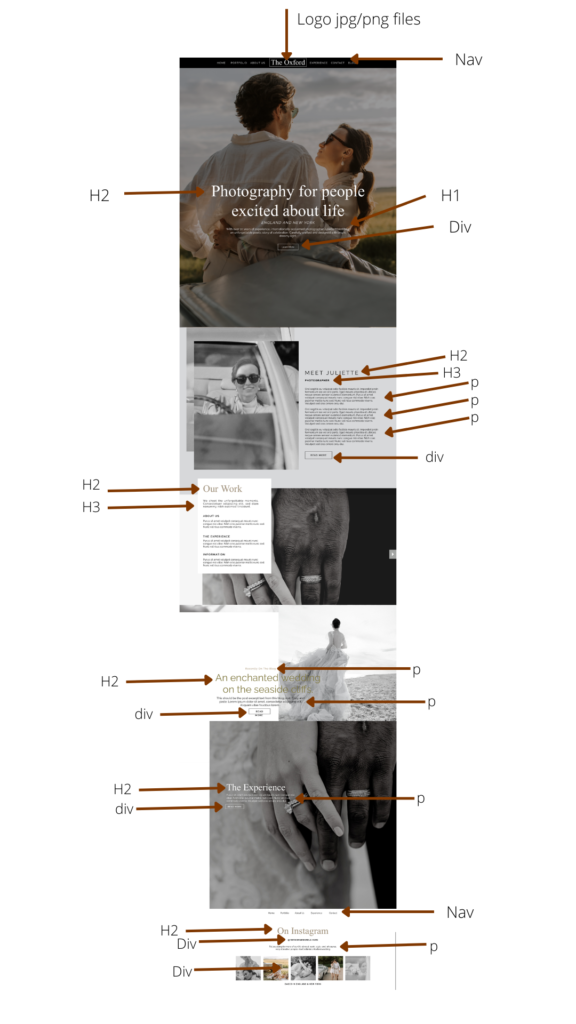
H1 — a one-liner that sums up what that page will be about. (Example: Juliette Marco offers editorial and glam-styled wedding photography in England and New York).
Tip: Each page should only have 1 h1. This should tell Google clearly and concisely what that page will be about.
H2 — Main headings throughout the page that break up sections of information well. (Example: Photography for people excited about life).
H3 — Subheadings throughout the page that nicely break up the information under H2’s.
P — paragraph or body of text
NAV — Navigation bar text that either links to your header or footer. (Tip: Nav bar only: other links throughout pages are great to place as Div or P).
DIV — Text that links to other pages or canvas’ that is not in your main navigation bar or sometimes looks like decorative text.
Below is an example from a template by the DiDonato Design Studio.



Comments +